How AI Personal Trainers Are Revolutionizing Home Workouts
You’ve seen the ads. An app promises to replace your expensive personal trainer, learn your body, and push you harder than any human could. Sounds too good to be true, right?
but: AI fitness technology has genuinely matured. What started as glorified timer apps now uses machine learning to analyze your form through your phone camera, adapt workouts based on your recovery patterns,. Predict when you’re about to hit a plateau. But not all AI trainers deliver on their promises.
This guide walks you through how these systems actually work, which features matter, and how to get real results from your AI coach without wasting months on the wrong approach.
Understanding What AI Fitness Apps Actually Do
Before picking an app, understand the three tiers of “AI” in fitness:
**Tier 1: Rule-based systems - ** These aren’t really AI. They use if-then logic: if you complete workout A, suggest workout B. Most free apps fall here. Fine for beginners, but they don’t learn anything about you.
**Tier 2: Adaptive algorithms. ** These track your performance data-reps completed, weights used, rest times-and adjust difficulty accordingly. Apps like Fitbod and JEFIT operate here. They get smarter over time, but they’re working from templates.
**Tier 3: True machine learning. ** These systems analyze movement patterns through computer vision, process biometric data from wearables, and build predictive models specific to your physiology. Tempo, Tonal, and some premium app features qualify. The difference is noticeable.
Why does this matter? Because a Tier 1 app marketed as “AI-powered” won’t adapt to your bad shoulder or notice you’re overtraining. Know what you’re buying.
Step 1: Assess Your Starting Point Honestly
AI coaches are only as good as the data you feed them. Garbage in, garbage out.
Start with a fitness assessment-most quality apps include one. But don’t sandbage it. That ego telling you to do more pushups than you comfortably can? Ignore it. The algorithm needs your real baseline, not your aspirational one.
Here’s what to track before your first AI workout:
1 - **Current activity level. ** Be specific. “I walk 4,000 steps daily and haven’t done structured exercise in 8 months” beats “moderately active.
2 - **Injury history. ** That tweaky knee from 2019? Log it. AI systems can route around limitations, but only if they know about them.
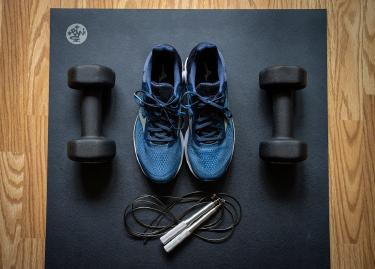
3 - **Available equipment. ** Dumbbells up to 30 pounds, a pull-up bar, resistance bands. The algorithm can’t prescribe what you don’t have.
4 - **Time constraints. ** Twenty minutes four days a week is achievable. An hour daily probably isn’t - set realistic parameters.
5 - **Recovery factors. ** Sleep quality, stress levels, and age all affect how fast you bounce back. Some apps ask; if yours doesn’t, mentally adjust expectations.
Step 2: Choose Your AI Platform Strategically
Not every AI trainer suits every goal. Match the technology to what you actually want.
For strength training: Look for apps with progressive overload tracking. Fitbod excels here-its algorithm analyzes which muscle groups need recovery and adjusts volume automatically. Expect to pay around $80 annually.
For form correction: You need computer vision. Tempo (requires their hardware, $395+) or the newer phone-based options like Kemtai actually watch you exercise and flag problems. This matters most for complex movements like deadlifts or Olympic lifts where bad form causes injuries.
For cardio and HIIT: Peloton’s AI features and apps like Freeletics adapt interval intensity based on heart rate response. Pair with a chest strap heart rate monitor-wrist-based readings lag too much for accurate zone training.
For general fitness: Apple Fitness+ now includes adaptive elements, and the integration with Apple Watch data gives it an edge in understanding your overall activity patterns.
Budget option: Nike Training Club went free and has surprisingly sophisticated workout selection. The “AI” is lighter, but it’s genuinely useful for guided home workouts.
Spend a week with any app before committing to a subscription. Most offer trials - use them.
Step 3: Set Up Your Space for Accurate Tracking
AI trainers that use camera-based form analysis need specific conditions to work properly.
Position your phone or tablet 6-8 feet away, at hip height, with your full body visible. Poor lighting kills accuracy-face a window or set up a lamp behind your camera. Wear fitted clothing; baggy shirts confuse the movement tracking.
For apps tracking only performance data (not video), consistency still matters. Always use the same weights in the same order. Log reps immediately, not from memory after the workout. Small inaccuracies compound over weeks.
Connected equipment changes everything. If you can afford a Tonal, Mirror, or similar system, the sensors embedded in the hardware track resistance, speed, and range of motion automatically. The AI recommendations become dramatically more precise. But we’re talking $1,500+ investments.
Step 4: Trust the Progression (Mostly)
The hardest part of working with an AI trainer? Accepting its judgment.
When the app says take a rest day, take it. When it drops your weight recommendations after poor sleep data, accept the adjustment. The algorithm spots patterns you can’t feel yet.
That said, AI isn’t infallible. Override when:
- Something causes sharp pain (not muscle fatigue-actual pain)
- The recommended weight feels genuinely dangerous
- You’re ill or dealing with acute stress the app can’t see
- A movement aggravates an injury you forgot to log
Document why you skipped or modified. Good apps let you leave notes. This feedback trains the model.
Step 5: Review and Recalibrate Monthly
Every four weeks, check your progress metrics against your goals. Most AI apps provide dashboards, but dig deeper than the summary.
Look for:
- **Volume trends. ** Are total weekly sets increasing appropriately? - **Strength curves - ** Which lifts are progressing? Which stalled - - **Consistency data. ** Completion rates matter more than peak performance. - **Recovery indicators. ** Resting heart rate trends, sleep scores if tracked.
If progress stalls for three consecutive weeks, consider a manual deload-reduce all weights by 10-15% for one week-even if the app doesn’t suggest it. AI trainers sometimes miss accumulated fatigue.
Also reassess your goals quarterly. Started training for general fitness but now want to focus on pull-up strength? Update the app’s goal settings. The algorithm optimizes for whatever target you give it.
Common Pitfalls and How to Avoid Them
**The app is too easy. ** You probably lowballed your initial assessment. Redo it honestly, or manually increase difficulty settings if available.
**Workouts take too long - ** Cut rest timers. Or choose a different program-many apps offer 20, 30, and 45-minute variants. The AI will compress volume accordingly.
**You’re bored - ** Switch movement styles. If you’ve been doing traditional strength training, try the app’s HIIT or circuit options. Same stimulus gets stale.
**Form feedback feels wrong. ** Camera-based systems struggle with certain body types and movements. If the AI keeps flagging your squat depth incorrectly, verify with a video you review yourself. Technology has limits.
**You miss the human element. ** Some people need external accountability that AI can’t provide. Consider hybrid approaches: use the AI for programming, but check in with a human trainer monthly for form reviews and motivation.
Making the Technology Work Long-Term
AI fitness apps shine brightest over months, not days. The real value emerges as the algorithm accumulates data about your response to training stimulus, your recovery patterns, and your progression curves.
Give any system at least 12 weeks before judging results. Track objective metrics-body measurements, strength numbers, endurance benchmarks-not just how workouts feel.
And remember: the AI is a tool. It doesn’t care if you succeed. You still have to show up, push through discomfort, and choose recovery over late nights. The technology removes guesswork from programming. It can’t remove the work itself.
That’s probably a good thing.